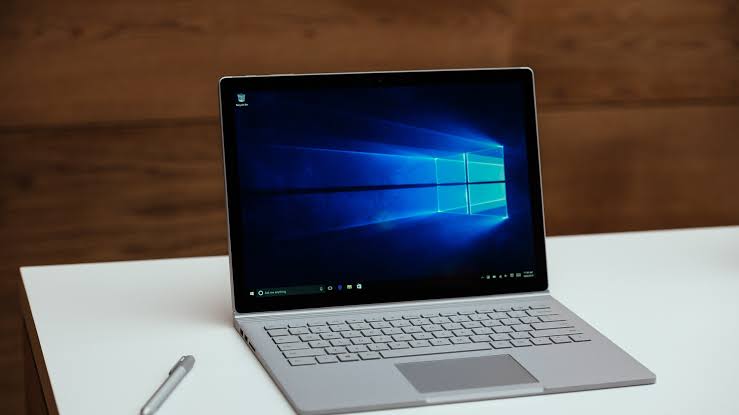
Microsoft Surface devices are powerful and premium, but their screens are delicate. A single drop can crack the glass, damage the touch function or break the LCD. If your Surface screen is shattered, flickering or unresponsive, you need proper repair to restore full performance. Here is a clear guide to how Surface screen repair works.
What Our Microsoft Surface Screen Repair Covers
We repair all Surface screens including touchscreen, LCD and fused displays.
Cracked or Shattered Glass
Complete screen replacement for broken or spider-cracked displays.
LCD Damage
Fix black spots, vertical lines, flickering or dead pixels.
Touchscreen Not Working
Repair unresponsive or inconsistent touch sensors.
Ghost Touch Issues
Stop random touches or self-pressing actions caused by display damage.
Backlight Problems
Repair dim screens or uneven brightness.
Microsoft Surface Models We Repair
We support almost every Surface device used in the Philippines:
Microsoft Surface screens are fused units, glass, digitizer and LCD combined. They require precision and heat-based separation tools. Professional repair ensures:
Zero Damage to Internal Parts
Surface devices have compact boards that can be damaged with improper heat.
High-Quality Replacement Panels
We use quality parts for color accuracy and touch responsiveness.
Safe Adhesive Removal & Rebonding
Proper sealing prevents dust, gaps and heating issues.
Long-term Durability
Correct installation keeps the device sturdy and solid.
How the Surface Screen Repair Process Works
Step 1: Diagnosis & Testing
We check if the problem is only the glass, the LCD or both.
Step 2: Quote & Approval
You get a clear repair cost depending on model and damage level.
Step 3: Screen Removal
We use controlled heat and specialized tools to safely lift the fused panel.
Step 4: Installation of New Screen
We install a new assembly and check touch, color and display performance.
Step 5: Final Testing
We test touch, responsiveness, brightness, pen support & overall function.
Need help with Microsoft Surface Screen Repair? Talk to our technician now and get a quick fix. Click below to contact us and book your repair today.
When You Should Replace Your Surface Screen
Glass is cracked or shattered
Surface screens are fused, so cracks typically require full replacement.
LCD shows lines or black spots
Internal damage will spread over time.
Touch is not responding
Usually caused by digitizer or internal panel damage.
Ghost touches appear
A sign that the screen sensors are malfunctioning.
Screen flickers or stays black
Indicates LCD or backlight failure.
Frequently Asked Questions (FAQs)
1. How long does a Microsoft Surface screen repair take?
Most repairs take a few hours depending on the model.
2. Are Surface screens expensive to replace?
Surface screens are fused units, making them more costly than standard laptop screens.
3. Do you repair both LCD & touchscreen?
Yes. We replaced the full assembly to restore the display and touch function.
4. Can a cracked Surface screen be repaired without replacement?
No. Fused screens require full assembly replacement.
5. Is it safe to repair Surface devices?
Yes, with the right tools. Surface screens require precise temperature control to avoid board damage.
6. Will my touch and pen functions work after repair?
Yes. Full functionality is tested before returning the device.