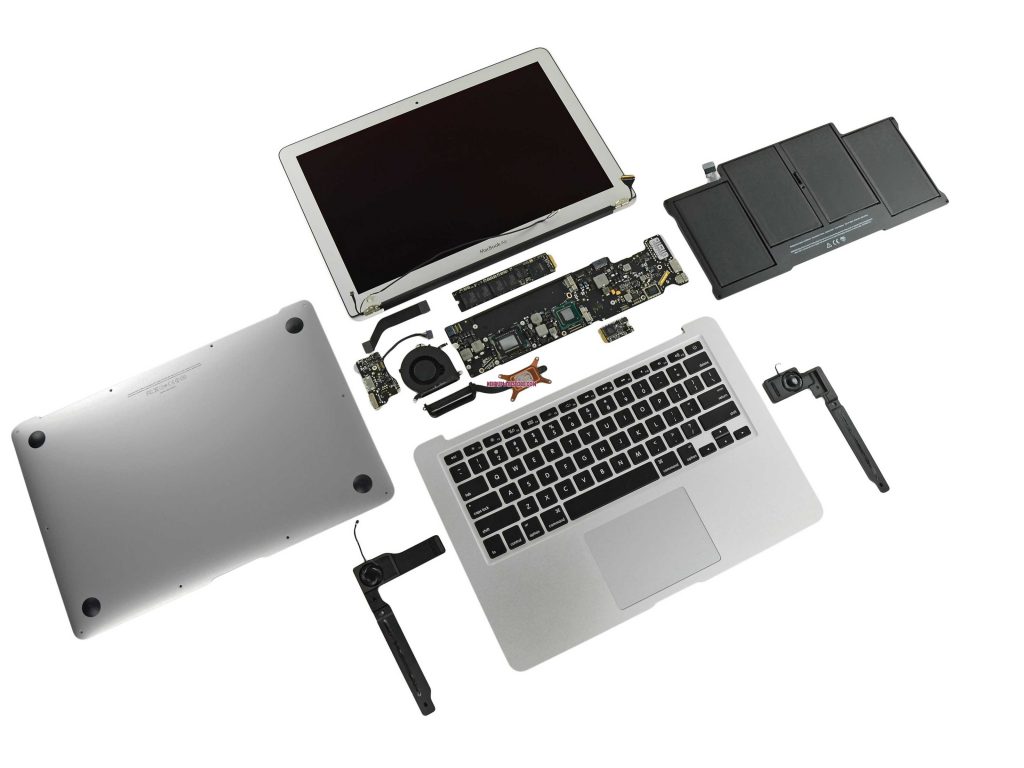
iMacs are powerful machines built for design, work and productivity. But like any device, they can develop issues with slow performance, screen damage, power failures or software errors. Our iMac repair service restores your desktop to peak performance. Here is a simple, clear guide to how iMac repair works.
What Our iMac Repair Service Covers We handle all types of iMac problems like hardware, software, upgrades and cleaning.
Fix cracked, blacked-out or flickering displays.
SSD or Storage Upgrade Replace slow HDDs with fast solid-state drives.
Power Supply Repair Solve iMac units that won’t turn on or shut down randomly.
Overheating Repair & Cleaning Remove dust, improve airflow and replace thermal paste.
Graphics Card Repair (GPU Fix) Fix iMacs showing lines, freezing or graphic distortion.
MacOS Repair & Reinstallation Fix boot loops, crashes, app errors or corrupted system files.
Motherboard Repair Solve no-power, no-display or shorted board issues.
Fan, Speaker & Audio Repair Fix noisy fans, failing speakers or audio problems.
iMac Models We Repair
We support all iMac models used in the Philippines:
iMac 21.5″
iMac 24″
iMac 27″
iMac Intel Models
iMac M1
iMac Retina 4K / 5K
iMac Slim Unibody
iMac Pro
If your model is not listed, we still support it.
Why Professional iMac Repair Matters
iMacs have tightly packed hardware and sensitive internal components. Proper repair ensures:
Safe Disassembly Incorrect opening can crack the display or damage the internals.
High-Quality Parts We use reliable parts for long-term performance.
Correct Thermal Management Proper cleaning prevents overheating and system lag.
Stable MacOS Performance Fix system errors and restore reliability.
Long-Term Device Health A well-repaired iMac lasts many more years.
How our iMac Repair Process Works
Step 1: Diagnostics We check power, screen, internal components and macOS.
Step 2: Cost Estimate You get a transparent repair price before work begins.
Step 3: Repair or Replacement We replace damaged parts or repair components based on the issue.
Step 4: System Testing We test display, storage, fan performance, audio and macOS.
Step 5: Final Quality Check Your iMac is cleaned, optimized and returned in full working condition.
Need help with iMac Repair Services? Talk to our technician now and get a quick fix. Click below to contact us and book your repair today.
When You Should Get Your iMac Repaired
iMac not turning on Often caused by a power supply or logic board issue.
Screen flickers or has lines GPU or display problems that need immediate repair.
iMac is extremely slow Upgrading to SSD or fixing macOS speeds it up.
Overheating or loud fan noise Dust buildup and old thermal paste cause this.
Apps crash or freeze often May indicate storage or macOS errors.
Burning smell or random shutdowns A sign of hardware failure that needs urgent repair.
Frequently Asked Questions (FAQs)
1. Do you repair all iMac sizes and models? Yes. We repair 21.5″, 24″, 27″, Intel, Retina, M1 and iMac Pro models.
2. How long does an iMac repair take? Most repairs take a few hours to a full day depending on the issue.
3. Can you upgrade my iMac to SSD? Yes. Upgrading to an SSD makes your iMac much faster.
4. My iMac overheats. Can this be fixed? Yes. Cleaning, thermal paste replacement and airflow improvements solve overheating.
5. Is screen replacement possible for iMac? Yes. We replace cracked, black or faulty displays.
6. Do you fix MacOS or system errors? Yes. We repair, reinstall or optimize macOS.
7. Can an iMac with no power be repaired? Often yes. It may be a power supply or logic board issue.